
youtubedescriptionextractor.online
YouTube Description Extractor
Use the fastest free online YouTube description extractor for title copy, description copy and paste, tag extraction, and video metadata review. This tool is built for creators, marketers, and YouTube SEO workflows.
Free YouTube description copy tool
Paste a public YouTube link and get a fast metadata preview with the description text, title insight, and channel details. Our YouTube video description download helper is optimized for simple workflows like copy description of YouTube video, copy youtube description, and get youtube video description instantly.
Other available tools
Explore additional utilities on youtubedescriptionextractor.online for YouTube, file conversion, formatting, and domain tools.
YouTube Description Copy Tool
Paste a URL and instantly copy any video's full description text.
YouTube Tag Extractor
Extract keyword tags from any public YouTube video for SEO research.
YouTube Hashtag Extractor
Find and copy hashtags used on any YouTube video or Short.
YouTube Title Extractor
Grab the exact title of any video for research and citations.
YouTube Metadata Viewer
Inspect title, channel, ID, thumbnails, and embed details at a glance.
YouTube Keyword Generator
Turn a topic into dozens of long-tail keyword ideas instantly.
YouTube SEO Score Checker
Grade your title, description, and tags with actionable tips.
YouTube Description Generator
Create a keyword-rich, structured video description in seconds.
YouTube Title Generator
Generate catchy, high-CTR title ideas from proven formulas.
YouTube Tag Generator
Build a balanced set of SEO-optimized tags from one topic.
YouTube Hashtag Generator
Create relevant hashtags for videos and Shorts to boost reach.
YouTube Thumbnail Downloader
Download high-resolution thumbnails from any YouTube video.
YouTube Tags Extractor
Extract visible tags and keywords from a YouTube video page.
Region Restriction Checker
Check whether a YouTube video is blocked in a specific country.
Channel Logo & Banner Downloader
Quickly grab a channel’s logo and banner assets.
Feature overview: your YouTube metadata workflow
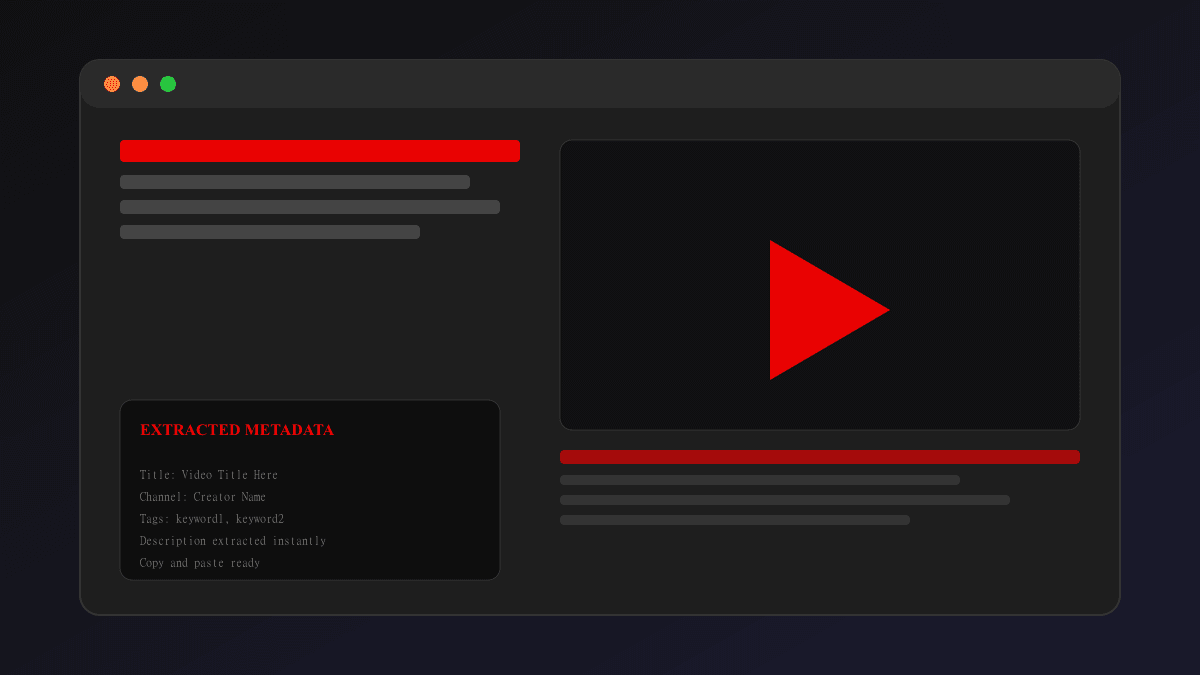
youtubedescriptionextractor.online is more than a simple browser utility — it is a focused YouTube metadata workflow engine for creators, marketers, and SEO professionals. This feature-rich extractor is built to help you quickly review titles, copy descriptions, and understand how top-performing videos organize their links, keywords, and calls to action. The tool is especially useful when you need rapid insight into a public YouTube video without signing in or using complex APIs.
The extractor supports common research tasks such as copy description of YouTube video, copy YouTube tags, and extract YouTube title. It works seamlessly with standard YouTube watch URLs and the shortened youtu.be format, so you can paste any public link and get an immediate metadata preview. This makes it a great companion for video planning, competitor analysis, and anytime you want to compare the structure of several video descriptions or titles.
What sets this tool apart is its emphasis on speed and simplicity. The interface is clean and mobile-friendly, with a single input field, one action button, and clearly organized results. That means you can use it from your phone, tablet, or desktop without extra clutter. The underlying page is built with fast static rendering, which helps the tool load quickly and remain responsive even on slower connections.
The tool’s core benefit is helping you make better metadata decisions. You can use it to analyze how other creators format their descriptions, how they structure links and timestamps, and whether they include targeted keywords that align with your own topic. It is also ideal for title research, because a strong title and aligned description are both vital to YouTube SEO performance.
In addition to extraction, the page is an educational resource. It explains why metadata matters, how to use the tool safely, and how to apply the insights to your own content. If you are preparing a video launch, optimizing an existing upload, or simply studying audience behavior, this extractor gives you a quick way to capture the metadata elements that matter most.
Use this tool as a first step in your YouTube optimization process. Extract video descriptions to compare keyword density, copy titles to examine headline patterns, and review channel names to understand niche positioning. These insights help you craft better video titles, stronger descriptions, and more effective tags, which together can improve discoverability and viewer engagement.
The site supports a low-friction research flow: input the URL, click extract, then copy the results into your own SEO notes or content management system. You can also use the extracted metadata to spot opportunities for improvements in your own channel’s titles, descriptions, and tags. It is a practical, browser-based tool for creators who want to move faster and work smarter.
Tool FAQs
What does this YouTube description extractor do?
It reads public YouTube metadata and displays the description field, title, and channel information so you can review and copy them easily.
Can I use it for any public YouTube video?
Yes, the extractor works with any public video URL, including standard YouTube links and shortened youtu.be URLs.
Do I need a YouTube API key?
No, this tool works without an API key by using public metadata sources, making it fast and easy to use.
Is the tool free to use?
Yes, youtubedescriptionextractor.online is free for anyone who wants to extract YouTube metadata quickly.
Can I copy the description text directly?
Yes, the results include the description text so you can copy it for your research or planning workflows.
Does it work with YouTube Shorts?
Yes, the extractor supports any public video, including YouTube Shorts, as long as the URL is valid.
Can I use it for tag extraction research?
While it focuses on description and title metadata, it is a useful first step for understanding channel and video SEO context before tag research.
How fast is the extractor?
It is designed for speed—the page loads quickly and returns results in seconds after you enter a valid public URL.
Will my video URLs be stored?
No, URLs are processed in your browser and are not stored long term by the site.
Is this tool good for YouTube SEO research?
Yes, it helps you analyze metadata patterns, compare descriptions, and improve your own titles and descriptions for better search visibility.
The feature section helps you understand how this extractor supports YouTube SEO, creator workflows, and metadata optimization. It is a practical starting point for researching titles, description copy, and metadata structure across public videos.
Complete YouTube metadata extractor for creators
This YouTube description extractor is designed to help anyone who needs a quick way to view and copy video metadata. From YouTube title copy to description copy and paste, the tool supports a smooth workflow for content optimization, competitor research, channel audits, and video repurposing. It is a reliable online youtube description extractor for people who want to download description data without a heavy API integration.
With youtubedescriptionextractor.online you can inspect a video’s details in seconds, compare different uploads, and use the information in your own marketing, SEO, or editing process. The site also works well as a youtube metadata extractor and youtube content extractor, helping you understand how other creators structure their descriptions, tags, and title phrases.
Whether you are searching for youtube description scraper tools or a fast youtube video information extractor, this homepage explains how the extractor works and why it matters. The tool is ideal for tasks like youtube title downloader research, youtube video title extractor online review, and copy youtube tags or extract youtube video tags for planning your next upload.
The clean interface is optimized for both desktop and mobile. That means you can use it as an on-the-go youtube short title copy tool, a desktop description review assistant, or a youtube tag extractor helper when you are preparing tags, keywords, and SEO elements for a new video.
We focus on speed and clarity, so the extraction workflow is easy to understand and fast to use. Enter the video address, hit extract, and get the details you need for your YouTube SEO tasks. This page is built to support creators who want a no-friction tool for youtube description finder, youtube content extractor, and youtube metadata downloader scenarios.
How the YouTube description extractor helps your SEO workflow
For anyone managing YouTube channel growth, the description field is one of the most important pieces of metadata. It contains keywords, timestamps, links, and your video’s narrative. A fast youtube description extractor makes it easy to review that content, copy description of youtube video snippets, and find the best words for your own metadata strategy.
This page also helps with related tasks like youtube title copy, youtube short title copy, and copy description of youtube video content for better planning. It supports online research for creators, editors, and analysts who want to build better video outlines and stronger titles without manually opening every video page.
In addition to the main extraction experience, the site points visitors to other helpful YouTube tools for tag extraction, title extraction, and video detail discovery. That makes it a useful resource for both beginning creators and advanced youtube seo tools users who want to analyze tags, extract youtube video tags, and copy youtube tags quickly.
Every paragraph on this homepage is written with the core search intent in mind. It targets the main keyword youtube description extractor and the supporting queries like youtube metadata extractor, youtube tag extractor, youtube description downloader, and youtube video details extractor. That helps search engines understand the page and rank it for a broad set of related queries.
Because the tool is free and online, it is a convenient first step in any content creation or SEO review process. Use it to confirm which words a video includes in its description, check how titles are formatted, and investigate how top-performing videos present their metadata.
Why this tool is the right choice for video research
The best YouTube description extractor tools are fast, accessible, and easy to use. This site keeps the experience simple while still delivering the key insights you need. It works as a quick youtube metadata extractor, a youtube description copy tool, and a useful reference for creators who want to extract and reuse video information responsibly.
Every result is presented in a readable format, so you can copy the description text, capture the title, or note the channel name without distraction. That makes it a great companion for tasks such as youtube description download, youtube description copy tool sessions, and youtube tag copy research.
Because the homepage is built with SEO best practices in mind, the content itself helps reinforce the page’s purpose. Strong headings, useful explanation, and keyword-rich copy all support search visibility for queries like youtube description extractor, youtube title extractor, youtube tags extractor, and youtube video information extractor.
The tool is especially helpful if you want to compare multiple videos quickly. Use it to review competitor descriptions, check keyword usage, and gather ideas for titles, tags, and description structure. That kind of research is valuable for growing your channel and improving your YouTube SEO strategy.
Common questions about the extractor
This tool is designed to be a fast, free option for anyone who needs a quick YouTube description extractor experience. It does not require an account, and it works with public video URLs so you can start immediately.
If you are looking for a dedicated youtube title copy tool, a youtube video title downloader workflow, or a youtube tag extractor browser experience, this site is a good first step. It provides a clean, reliable place to extract metadata and then use that information in your own content or optimization process.
We also make it clear that the tool is intended for metadata preview, research, and copy tasks. It is not a full content scraper service; instead, it is a lightweight helper for creators, marketers, and SEO professionals who want the key facts fast.
For teams that need more extensive YouTube metadata analysis, the homepage can be a gateway to planning broader research tools, such as official API-based extractors, youtube keyword extractor systems, and youtube creator tools that support larger workflows.
FAQ
How does a YouTube description extractor work?
A YouTube description extractor reads the video’s public metadata and displays the description field, title, and channel details. This tool makes it easy to copy description content for SEO research, metadata review, and content planning without manually opening the YouTube page.
Who has 100000000 YouTube subscribers?
Several creators have reached 100 million subscribers, including MrBeast and PewDiePie. This page is focused on YouTube metadata extraction, helping creators research and improve their own channel performance.
How to reach 1000 views on YouTube?
To reach 1,000 views, optimize your title, description, and tags, share your video on social media, and use tools like this youtube description extractor to study high-performing metadata and keyword usage.
How to get 100% SEO score on YouTube?
YouTube SEO requires a strong title, keyword-rich description, relevant tags, and engaging content. Use this tool to extract and compare descriptions and tags from successful videos while crafting your own metadata strategy.
How much do 10,000 views on YouTube pay?
Earnings vary widely depending on ad revenue, audience, and content niche, but 10,000 views typically earn between $10 and $50 for monetized channels. Metadata tools like this one help creators improve discoverability and grow view counts.
How to get 100 subs in 1 day?
Focus on engaging content, consistent uploads, and promoting your video through social channels. A well-crafted description and title can increase click-through rates, and this extractor lets you study the metadata of successful videos.
Will YouTube pay for 500 subscribers?
YouTube does not pay directly for subscribers. Monetization requires reaching 1,000 subscribers and 4,000 watch hours, so use metadata and video optimization tools to grow your channel strategically before monetization.
Who was Mr. Beast's 1st subscriber?
The identity of MrBeast’s first subscriber is not publicly documented. What matters most for creators is building an audience by optimizing video titles, descriptions, and tags—starting with tools like this extractor.
Can a 7 year old be a YouTuber?
Yes, children can create YouTube content with parental guidance and proper channel management. Parents should focus on safety, privacy, and compliant metadata practices while helping young creators build a positive presence.
Who is the No. 1 kid YouTuber?
The top kid-focused channels change frequently, but leading creators often include family vloggers, toy reviewers, and education channels. A strong description and metadata strategy helps kid-friendly content reach the right audience.
What is the 7 7 7 rule for kids?
The 7 7 7 rule is a general guideline for kids and parents about screen time, encouraging balanced use of digital media. It is separate from YouTube metadata, but healthy habits support better creativity and content planning.
What is the 7 second rule on YouTube?
The 7-second rule suggests that you need a strong hook within the first 7 seconds of a video to keep viewers engaged. Great metadata, including a compelling title and description, can help attract viewers and improve watch time.
Can I use this extractor for YouTube SEO research?
Yes, this YouTube description extractor is a useful SEO research tool for studying how top videos use keywords, tags, and description structure. It helps you improve your own metadata and discover better optimization ideas.
Is this tool free and safe for creators?
Yes, youtubedescriptionextractor.online is free, browser-based, and privacy-friendly. It processes URLs in the browser and helps creators analyze video metadata without requiring login credentials.
Does this extractor support YouTube Shorts and long videos?
The extractor works with any public YouTube URL, including Shorts and longer videos. It focuses on metadata and descriptions rather than video length, making it useful for all YouTube content types.
How do I copy the description text for my own video optimization?
After extracting a video’s metadata, you can copy the description text and use it to compare keyword usage, structure, and calls to action. This helps you write better descriptions for your own uploads.